Flows
A flow is a resource, product or emission. Create new flows or edit existing ones, including attributes such as name, density and heating value. A flow plays one of two roles:
- Resources: inputs, raw materials or product outputs used in life cycle stages.
- Emissions: pollutants or greenhouse gases released during life cycle processes.
Info
The resource or emission role is not a property of the flow. The same flow acts as either one, depending on how a process, vehicle or conversion technology uses it. For example, CO₂ can be an emission released by one process and a resource consumed by another.
Each flow has two tabs:
- General Information Tab: holds the properties of the flow that you edit.
- Usage Tab: shows where the flow is used. See Usage Tab.
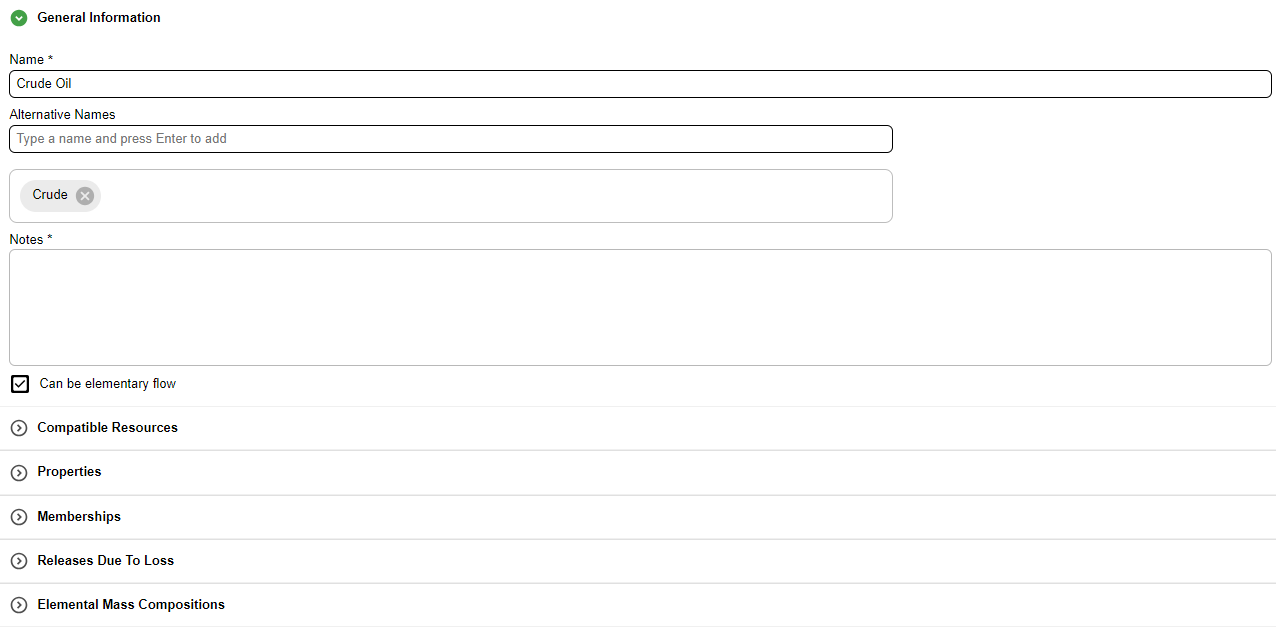
General Information Tab
The General Information Tab is divided into sections. Some sections are hidden depending on your choices in earlier sections. The sections are:
- Top portion: name, alternative names and notes for the flow
- Checkboxes: elementary flow capability
- Compatible Resources
- Properties
- Memberships
- Releases due to Loss
- Elemental Mass Compositions
Info
The Can be elementary flow checkbox sets whether the flow can come from or return to nature with no upstream or downstream process. When it is selected, you can use the flow as a primary resource from a well (for example crude oil, natural gas, wind or sunlight) or as an emission released to the environment. Soy oil, compressed natural gas and gasoline are not elementary flows. This setting decides whether the Memberships section is visible.
Alternative Names
A flow can have one or more alternative names. You can use them to search for the flow in a list or in the library filter.

To add an alternative name, type it in the text box and press Enter. The name appears in the box above. To remove a name, select the X next to it.
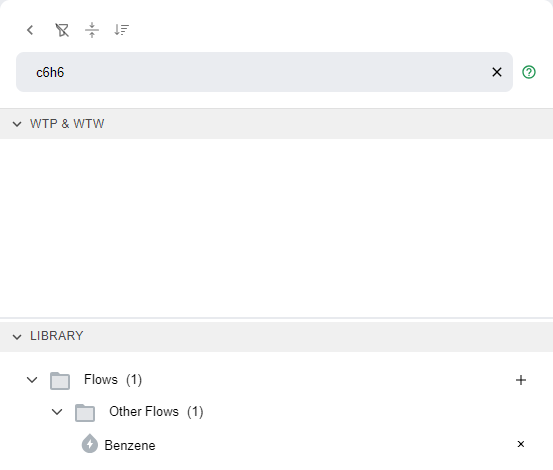
Search by Alternative Name
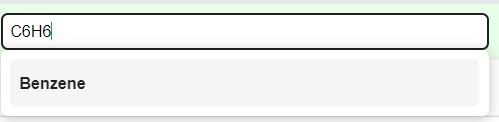
The library search also matches alternative names. In the GREET default data, benzene has the alternative name C6H6, so searching for C6H6 in the library shows benzene.
Lists inside editors, such as the input of a stationary process, also search alternative names.
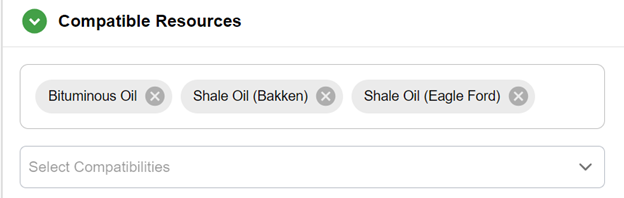
Compatible Resources
This section sets which other resources are compatible with this resource. Search for a resource in the search bar and select it in the results to add it to the list.
Note
This section appears only for resources.
PyGREET considers compatible resources when an entity uses the resource. For example, crude oil and bituminous oil are compatible. If a stationary process uses 10 units of crude oil, the crude oil can come from entities that produce crude oil, bituminous oil or a combination of the two.
Properties
This section holds the properties of the flow. You can enter a value for each one. Numeric inputs can be formulas or time series data. See Formulas and Time Series.

Density, low and high heating values, and market value are used in calculating results, but they are optional. When you provide them, they support these modeling tasks:
- converting between dimensions (mass, volume and energy);
- calculating coproduct allocation ratios.
Info
The state of the material gives the physical state that the properties apply to. PyGREET uses it mostly to calculate the energy intensities of some transportation modes.
Memberships
An elementary flow can belong to several flow groups. A membership does two things. It sets the subfolders of the library where the flow is listed. It also defines how PyGREET aggregates results in pathways and pathway mixes, which groups environmental impacts across the life cycle.
The section is a tree of groups, such as Fossil Fuel and Non Fossil Fuel, with members under each group. Expand a group to see its members. Select or clear the checkbox next to a membership to turn it on or off.

Releases due to Loss
This section sets the emissions generated when the flow evaporates. PyGREET gives losses as a percentage of the displayed quantity. The lost quantity can turn into specific pollutants as it evaporates. Use the search bar to add or remove emissions, and enter the evaporation percentage for each.

Elemental Mass Compositions
This section sets the elemental composition of the flow as a list of percentages that add up to 100%. PyGREET uses the composition to track material. It uses the carbon and sulfur percentages, if any, for carbon and sulfur balancing.
Carbon and Sulfur Ratio
Earlier versions of PyGREET and GREET.NET had Carbon and Sulfur Ratios. Enter them now as carbon and sulfur elemental compositions. The default GREET dataset already has them.

Work with Biogenic Materials
Use the Properties, Elemental Mass Compositions and Memberships sections to mark a material as biogenic (biomass carbon).
- In Memberships, select Biomass.
- In Properties, enter the biogenic share of the material's total carbon in Biogenic Carbon Content.


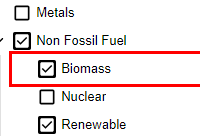
In this example, the resource flow Forest Residue has 50.3% carbon and 100% biogenic carbon. When the resource is primary, carbon relations in stationary processes carry this biogenic carbon content across the supply chain.